Overview
List of queues
Go to the Queues menu to see the list off all queues in a filterable data grid.
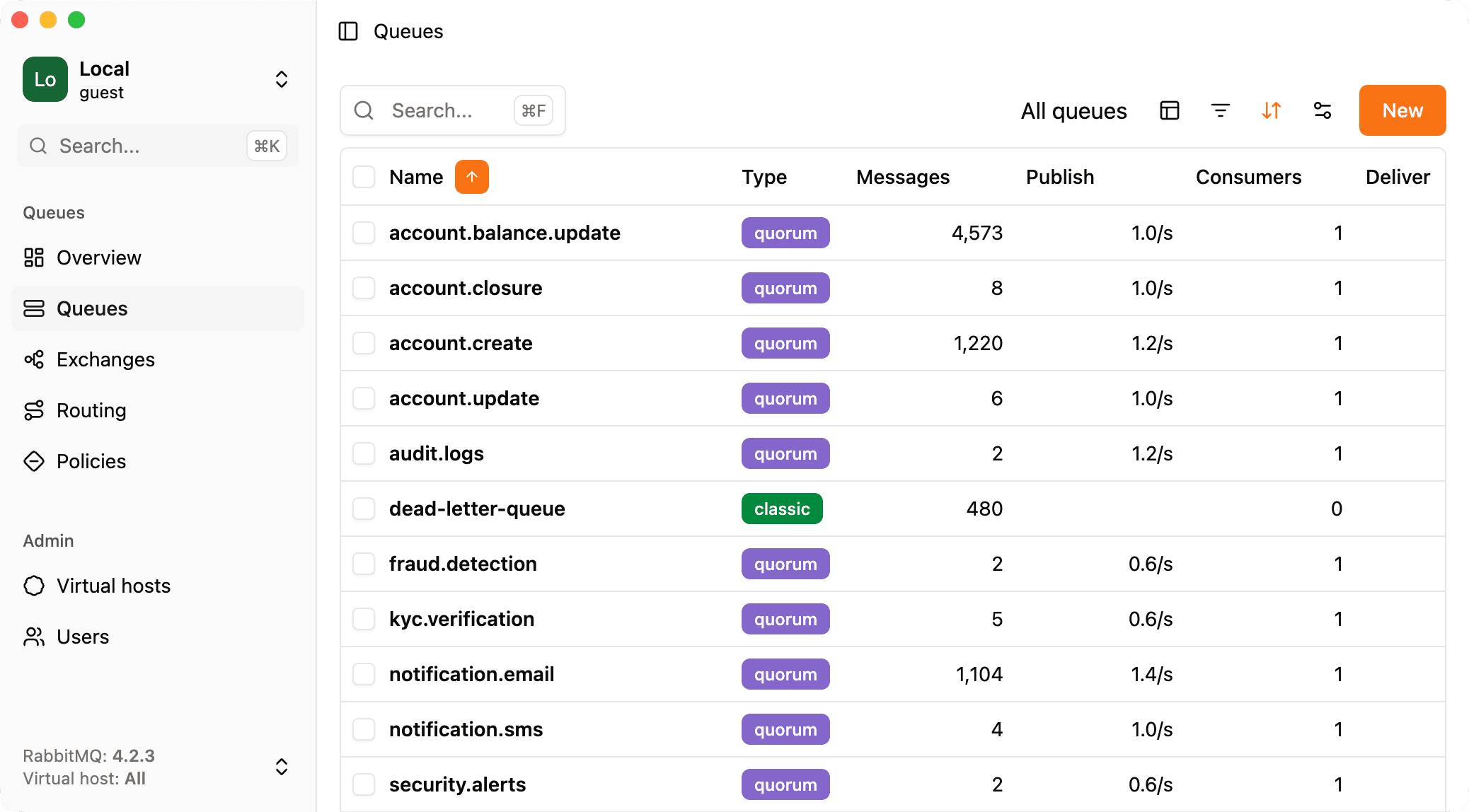
Queues statistics
Queue metrics live on the Overview tab for that queue.
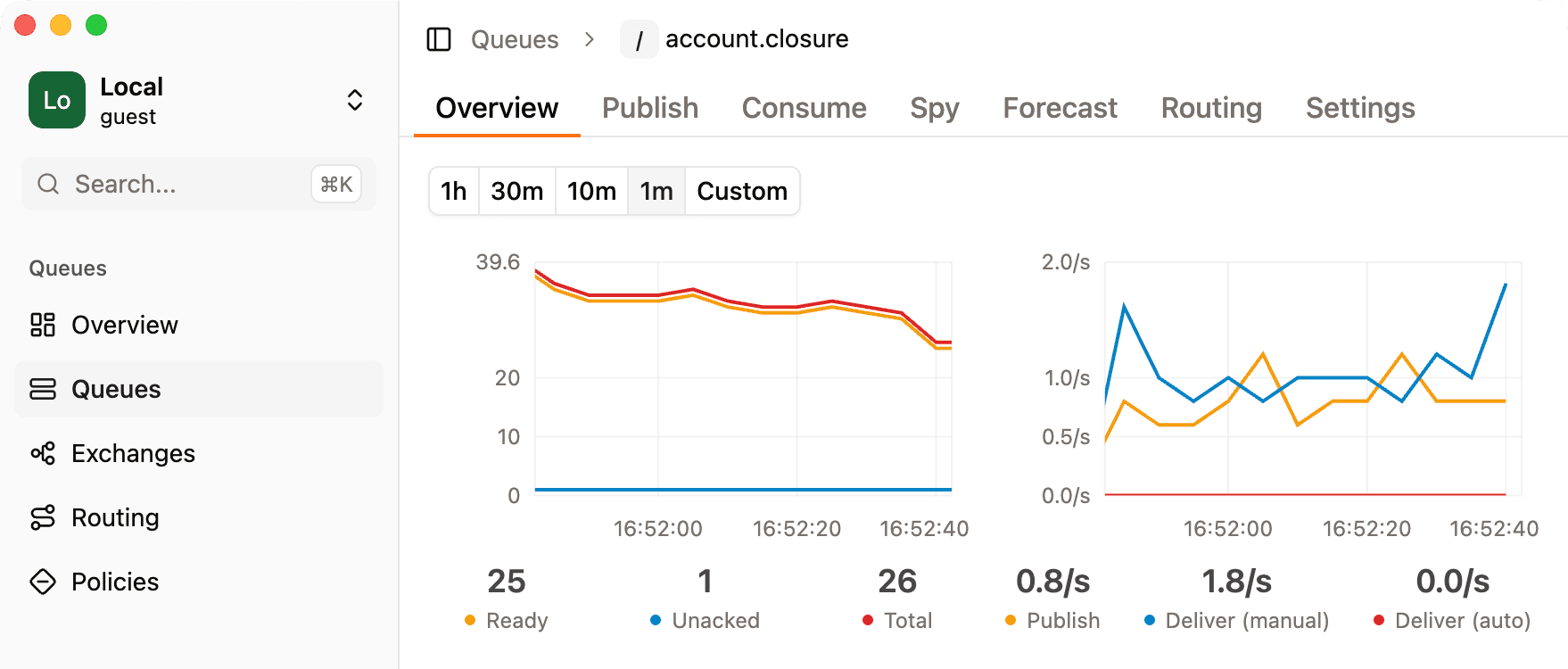
You get two charts: one for message counts (how many messages are in the queue over time) and another for publish and consume activity. Together they help you see backlog growth versus throughput at a glance.
Above the charts you can pick a time range. You can also click and drag on a chart to zoom into a specific interval on the timeline instead of using the preset ranges.
Queues settings
The Settings tab is where RabbitGUI shows the full configuration and metadata for the queue: arguments, features, policies in effect, and everything else the broker reports for that queue.
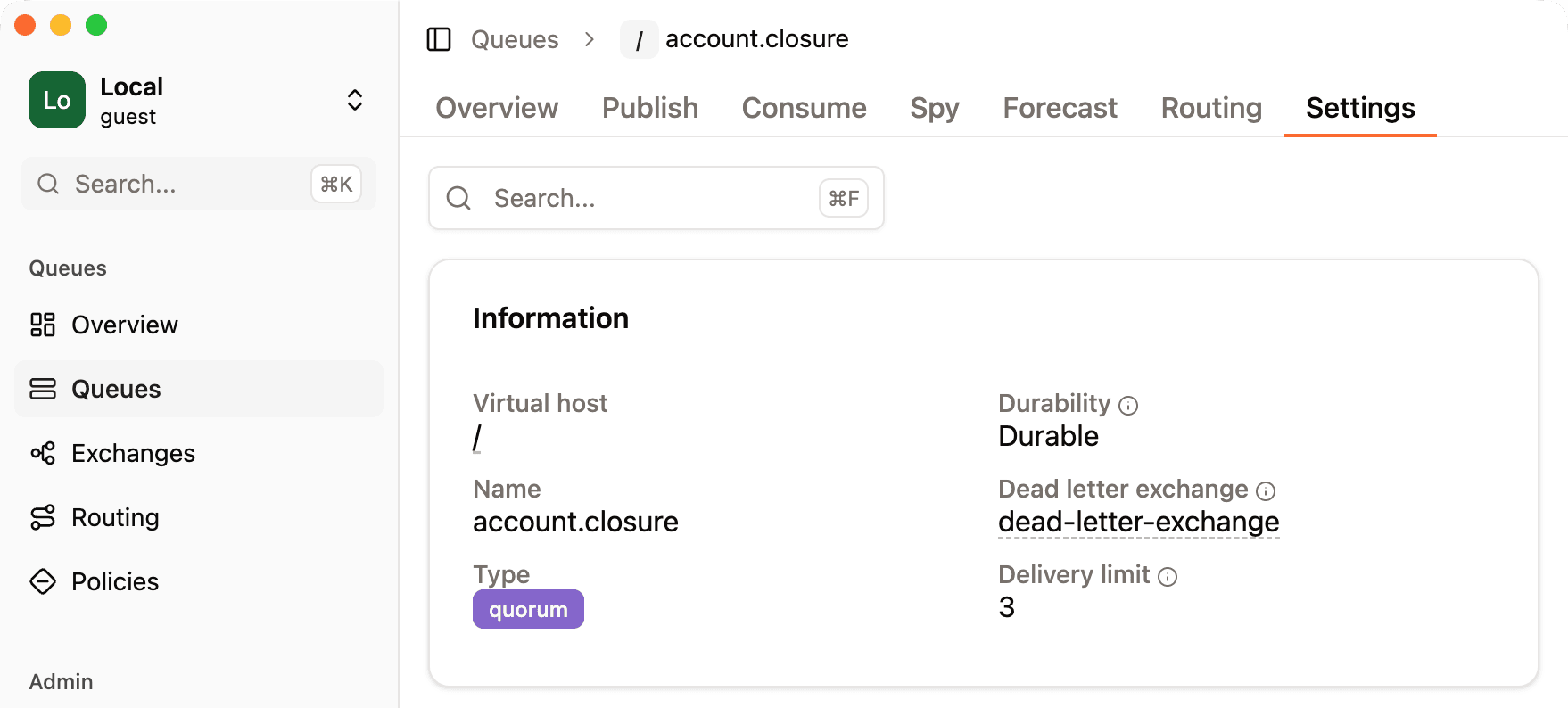
From there you can also open the policy debugger, which explains how policies match this queue and which one wins when several apply. For a deeper walkthrough, see the Policy debugger page.
You can search withing this page by typing in the search field, this lets you search any key or value from the settings of the queue.