
What's new in RabbitGUI?
v1.9.0 August 18, 2026
AMQP connexion string
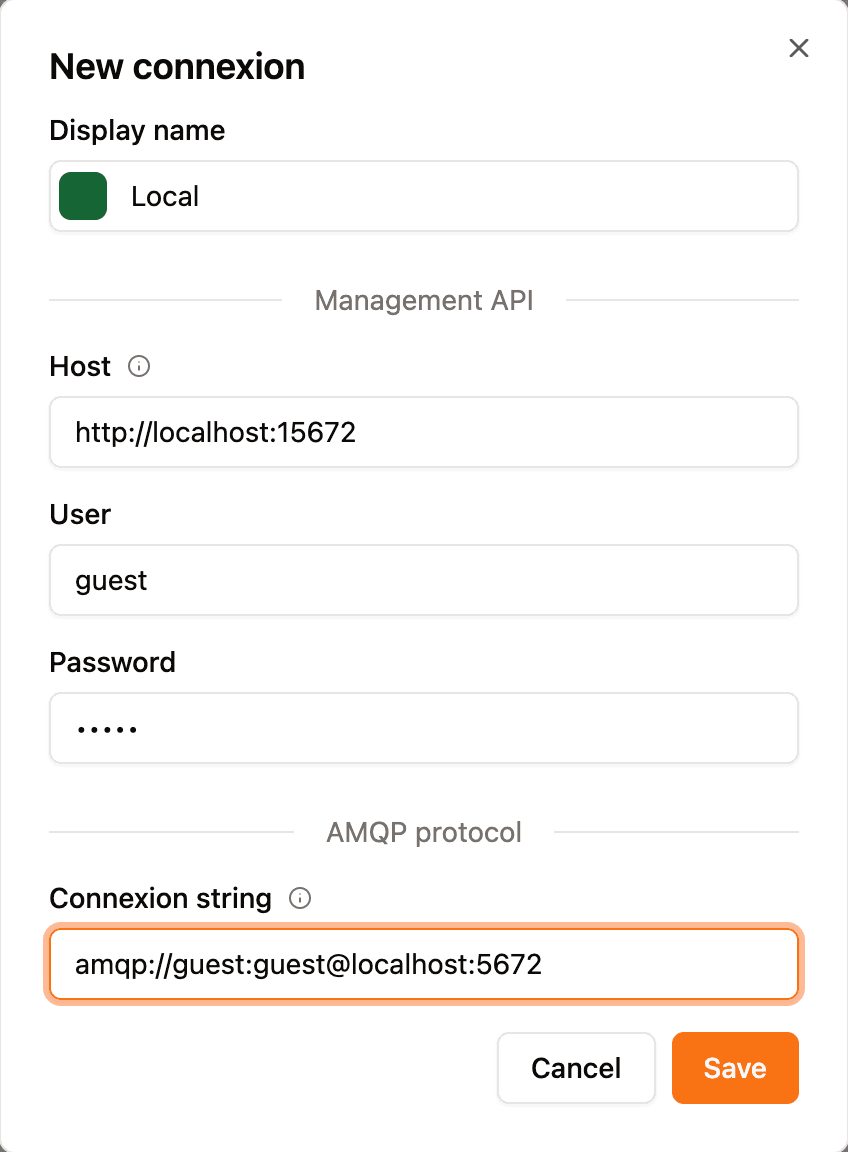
You are now able to directly input the connexion string to your AMQP instance to allow RabbitGUI to directly connect to it and perform specific tasks much faster.
v1.8.0 April 16, 2026
Dark theme
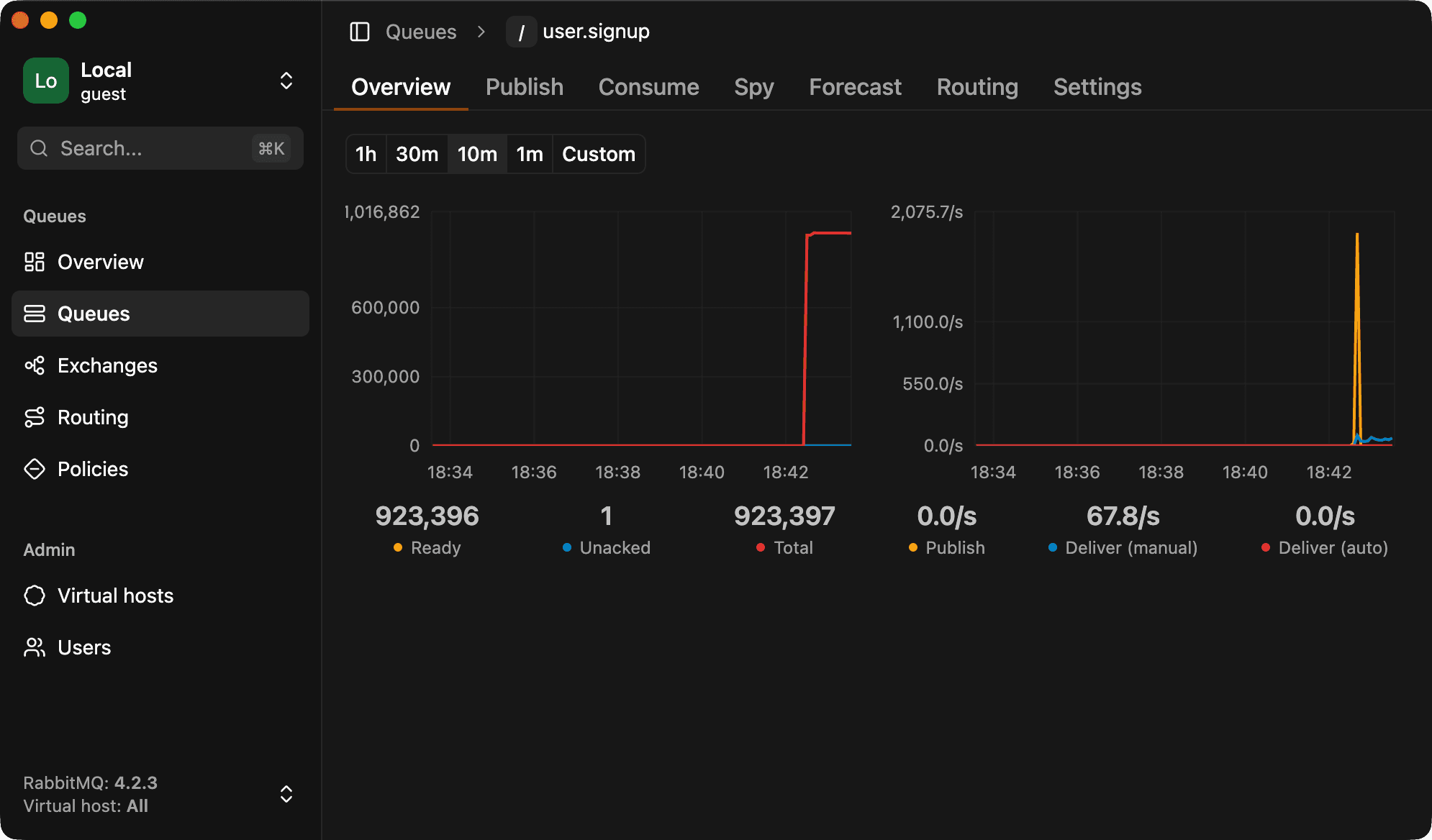
This has been a long awaited feature by users, RabbitGUI finally has a dark and light theme that can be set based on your preference. You can learn more in the dedicated documentation.
v1.7.0 April 7, 2026
Peek at queue content without consuming it
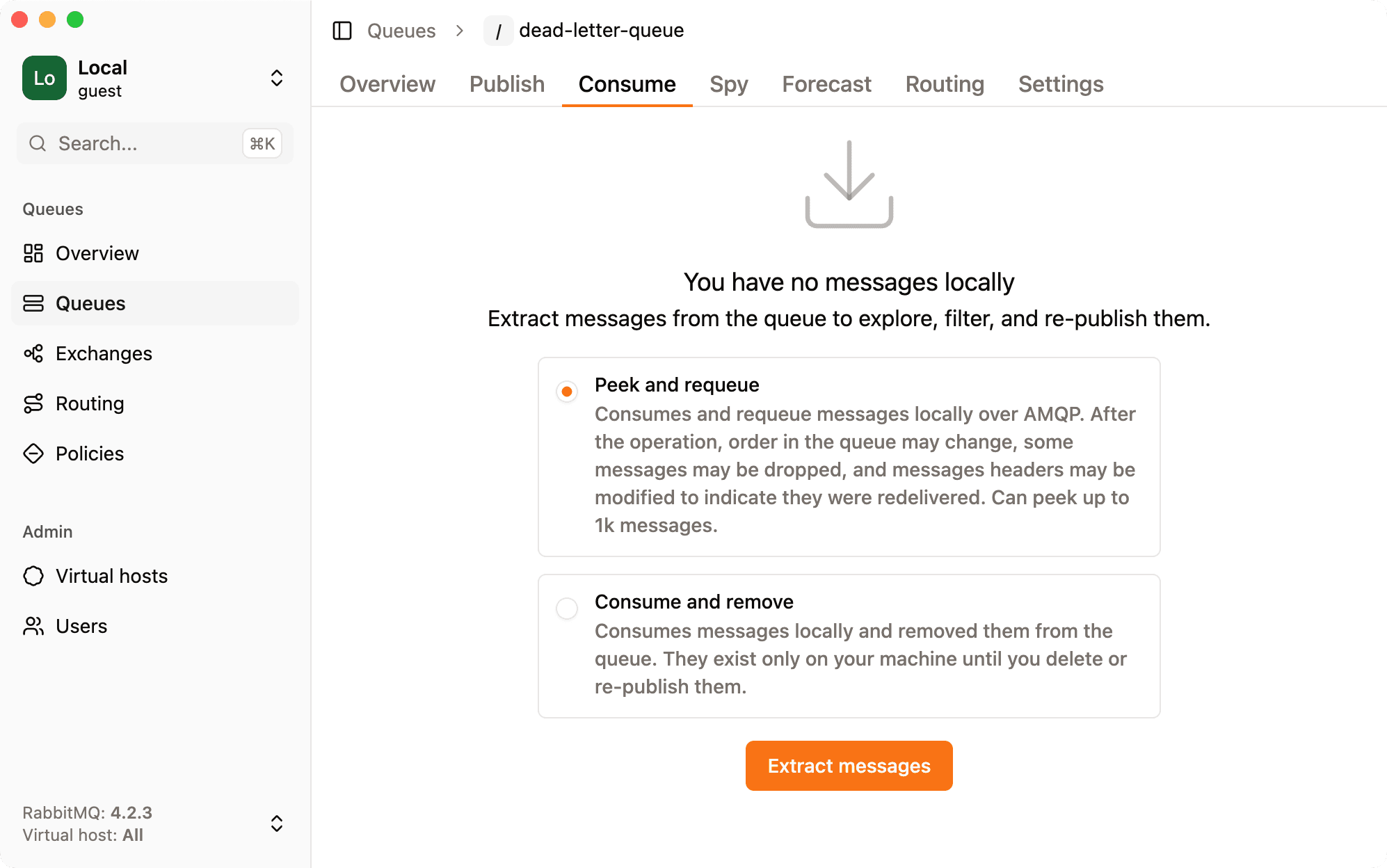
You now have the option to peek at queue content without consuming it, meaning that messages stay in the queue. Note that this might change message order a bit in some situations, and this might update a few headers since messages are prefetched and then nacked and requeued. More information in this article.
v1.6.0 April 1, 2026
Spy on queues in real time
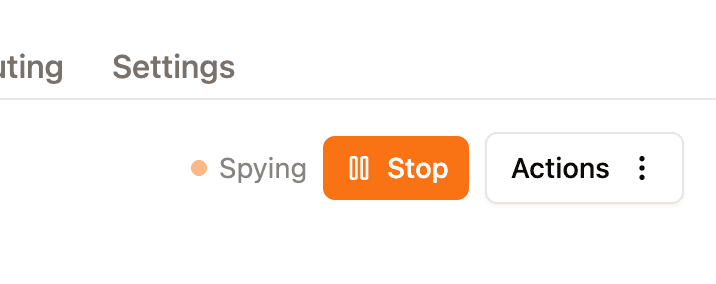
RabbitGUI now allows you to spy on queues in real time! This means that you can see the messages being published and consumed from a queue as they happen. You can also see the message details, such as the headers and properties, and manually republish them if needed.
This does not affect the normal flow of messages in any way, so you can safely spy on a queue without worrying about disrupting your system.
v1.5.0 March 27, 2026
Visual routing graph
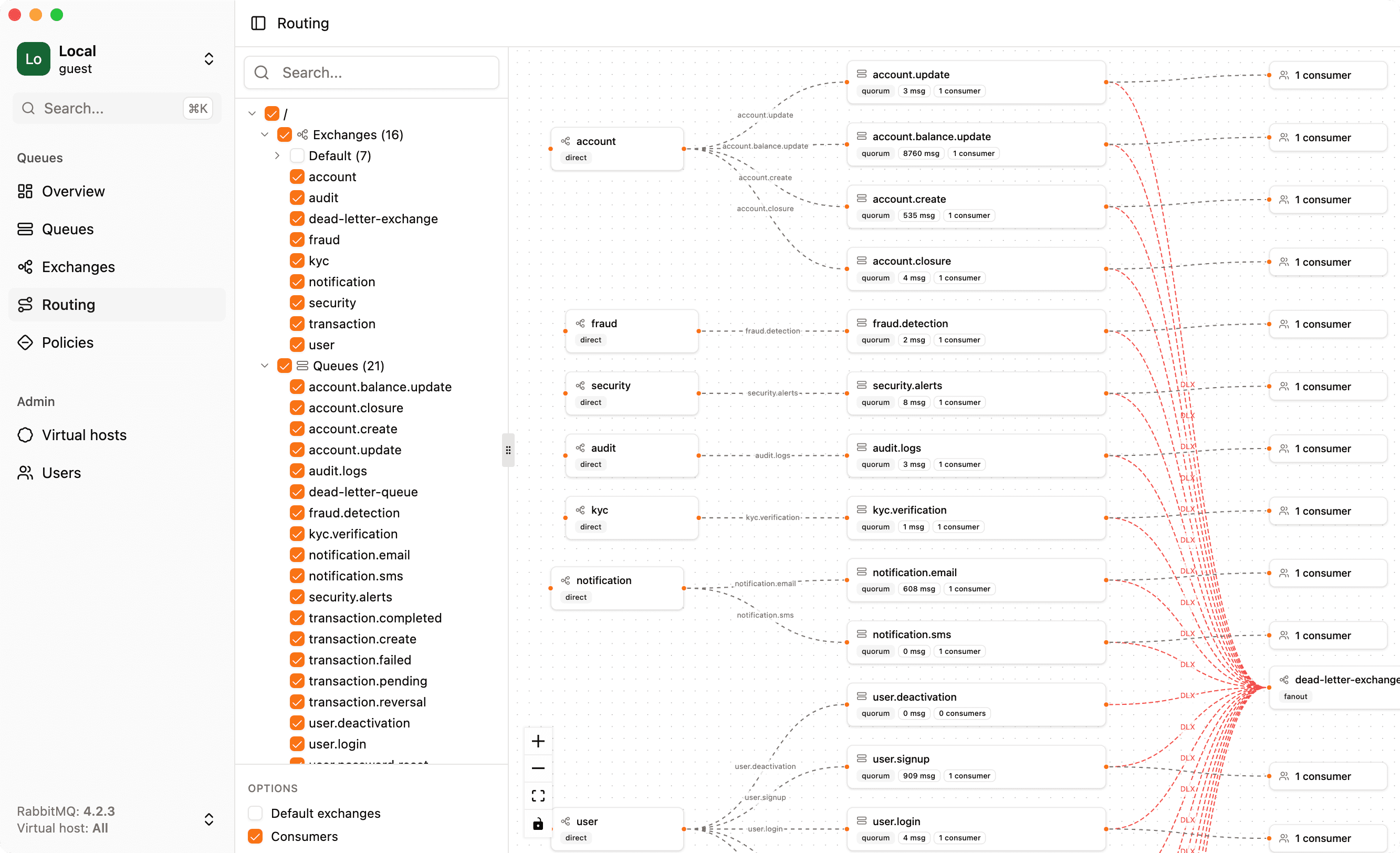
RabbitGUI now includes a visual routing graph for exchanges and queues. This new feature allows you to see the routing of messages through your exchanges and queues in a clear and intuitive way. You can easily understand how messages are flowing through your system and identify any potential bottlenecks or issues.
Improve message publishing experience
The UI for publishing messages has been redesigned to make it more user-friendly and efficient. You can now publish messages with fewer clicks and less hassle, while still having access to all the powerful features you need.
v1.4.0 March 14, 2026
Queue forecast
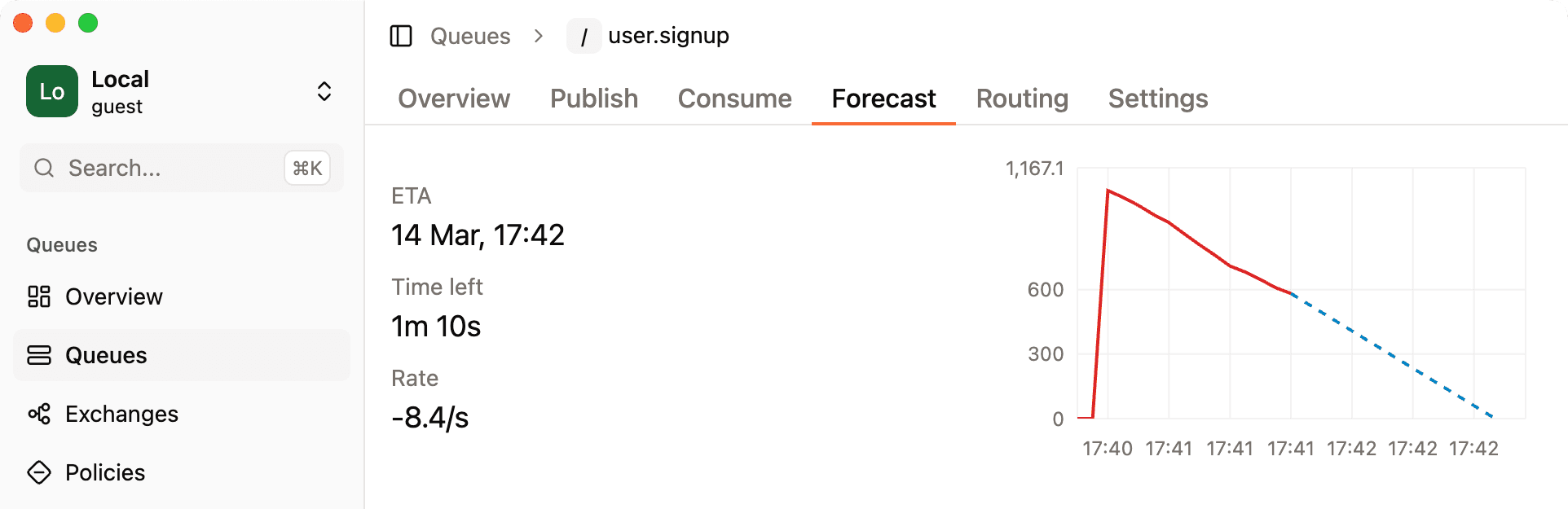
Ever had a massive backlog of tasks piling up in a queue and wondered “when will this be done?” Now you can find out. The new Forecast tab on queues predicts when a queue will be fully drained based on the current publish and consume rates. It gives you a precise ETA along with a live countdown, so you always know exactly how much longer you have to wait.
v1.3.0 March 6, 2026
Custom headers and properties when publishing a message
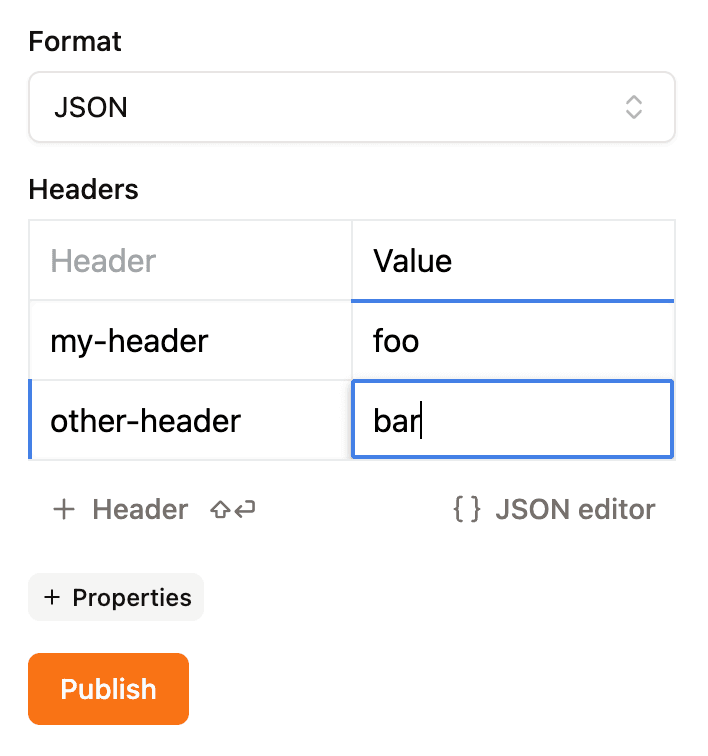
You can now add custom headers and properties when publishing a message! This means that you can include additional metadata with your messages, which can be useful for routing, filtering, or any other purpose you can think of.
Just click the “Add Header” button when publishing a message, and you’ll be able to enter the key and value for each header. You can also use the JSON editor to add multiple headers at once.
Properties are also supported, with a different input type based on the property type. For example, for the reply to property, you’ll get a dropdown with the available queues to choose from, for the expiration property, you’ll get a number input with a unit selector to input 1 hour instead of 3,600,000 milliseconds, and so on.
v1.2.0 February 28, 2026
Custom views
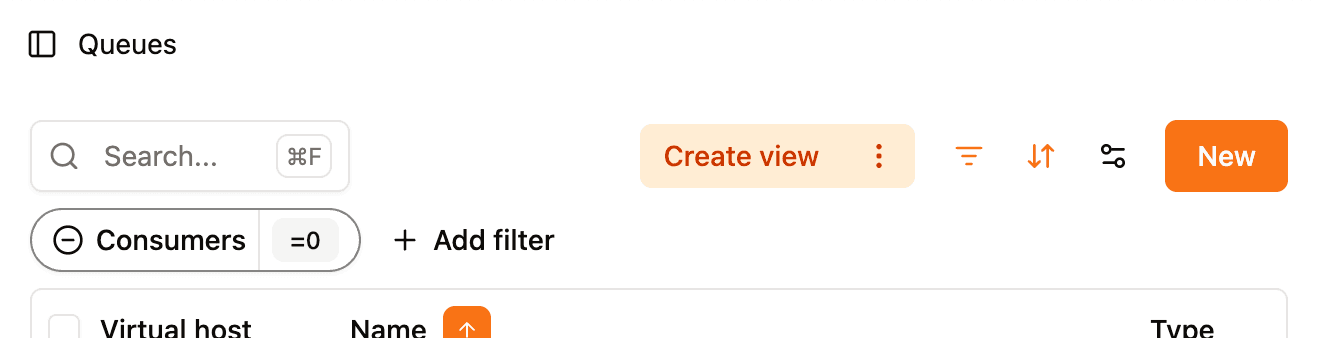
RabbitGUI now allows you to save your custom views! This means that you can save your filters, columns, and everything else for later. You can create as many views as you want and switch between them with a single click.
v1.1.1 February 23, 2026
New platforms
RabbitGUI is now available on more platforms! In addition to Apple Silicon macOS, this release adds builds for:
- macOS (Intel)
- Windows (x64)
- Linux (x64)
Auto updater
RabbitGUI now ships with a built-in auto updater. You will be notified when a new version is available and can update with a single click, right from the app.