The question
You have a queue with a backlog of messages. You want to know when it will be empty, simple right?
The naive approach: message count / consumption rate
The simplest way to estimate drain time is to take the current message count and divide it by the consumption rate reported by the RabbitMQ management API (see RabbitMQ monitoring API for the underlying HTTP endpoints).
time_remaining = message_count / consumption_rate
If the queue has 60,000 messages and consumers are processing 200 messages per second, the estimate is 300 seconds, or 5 minutes.
This works if two conditions are met: consumers are processing at a stable rate, and no new messages are being published. In practice, neither is guaranteed.
Problem 1: new messages are still being published
In most systems, publishers don't stop while consumers drain a backlog. If consumers process 500 msg/s but producers are still publishing 200 msg/s, the queue only shrinks by 300 msg/s. Dividing by the raw consumption rate of 500 gives an estimate that is too optimistic.
What matters is the net rate of change of the queue depth: the difference between consumption and publishing. That single number already accounts for both sides.
Problem 2: instantaneous rates are noisy
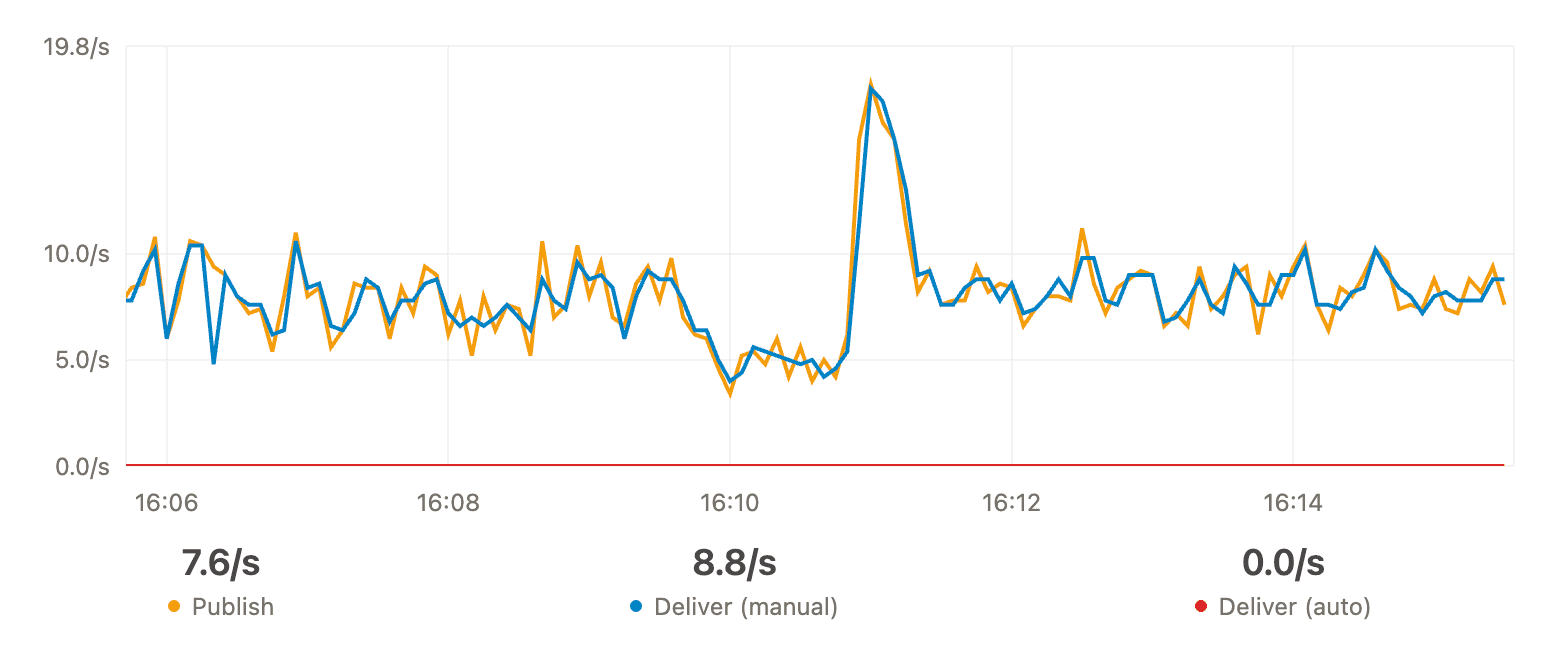
The consumption rate reported by RabbitMQ is measured over a short window. It fluctuates. A brief consumer pause, a burst of publishes, a network hiccup, all of these cause the rate to jump around from one sample to the next.
Dividing by a rate that swings between 150 and 350 msg/s gives wildly different estimates depending on when you check. You need to smooth the rate out to get something stable.
A better approach: linear regression on queue depth
Instead of relying on the reported rate, we can track the queue depth itself over time and fit a line through the data points using linear regression.
The slope of that line is the net drain rate. It inherently accounts for both publishing and consuming, and it smooths out noise by considering multiple data points instead of a single instant.
A negative slope means the queue is shrinking. A positive slope means the queue is growing. More messages are coming in than going out, and no drain time can be estimated.
Choosing the observation window
How far back should the regression look?
- Too short: the estimate reacts to noise. A 10-second spike makes the queue look like it's growing when it's actually draining steadily.
- Too long: the estimate includes stale data. If consumers were scaled up 5 minutes ago, data from before the scaling dilutes the current faster rate.
The approach is to start with a small window and expand it as long as the data fits a straight line. The metric for fit quality is R² (coefficient of determination). R² = 1.0 means perfectly linear, R² = 0.5 means the line only explains half the variance.
The algorithm:
- Start with the most recent data points
- Fit a regression line and compute R²
- If R² >= 0.95, include older data points and repeat
- Stop when R² drops below 0.95
- Use the last window where R² was >= 0.95
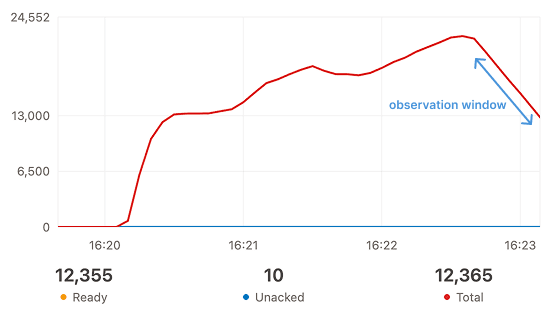
This gives the largest observation window that is still genuinely linear. If the queue went through different phases (slow draining, then consumers scaled up, then fast draining), the algorithm naturally selects only the most recent stable phase.
Computing the drain time
With a reliable slope from the regression, the drain time is a simple division:
time_remaining = current_message_count / abs(slope)
60,000 messages with a slope of -200 msg/s gives 300 seconds. The estimate updates continuously as new data points come in. If consumers scale up or down, the regression window adapts and the prediction follows.
If the slope is positive, the queue is filling up and there is no drain time to estimate.
This is what RabbitGUI does
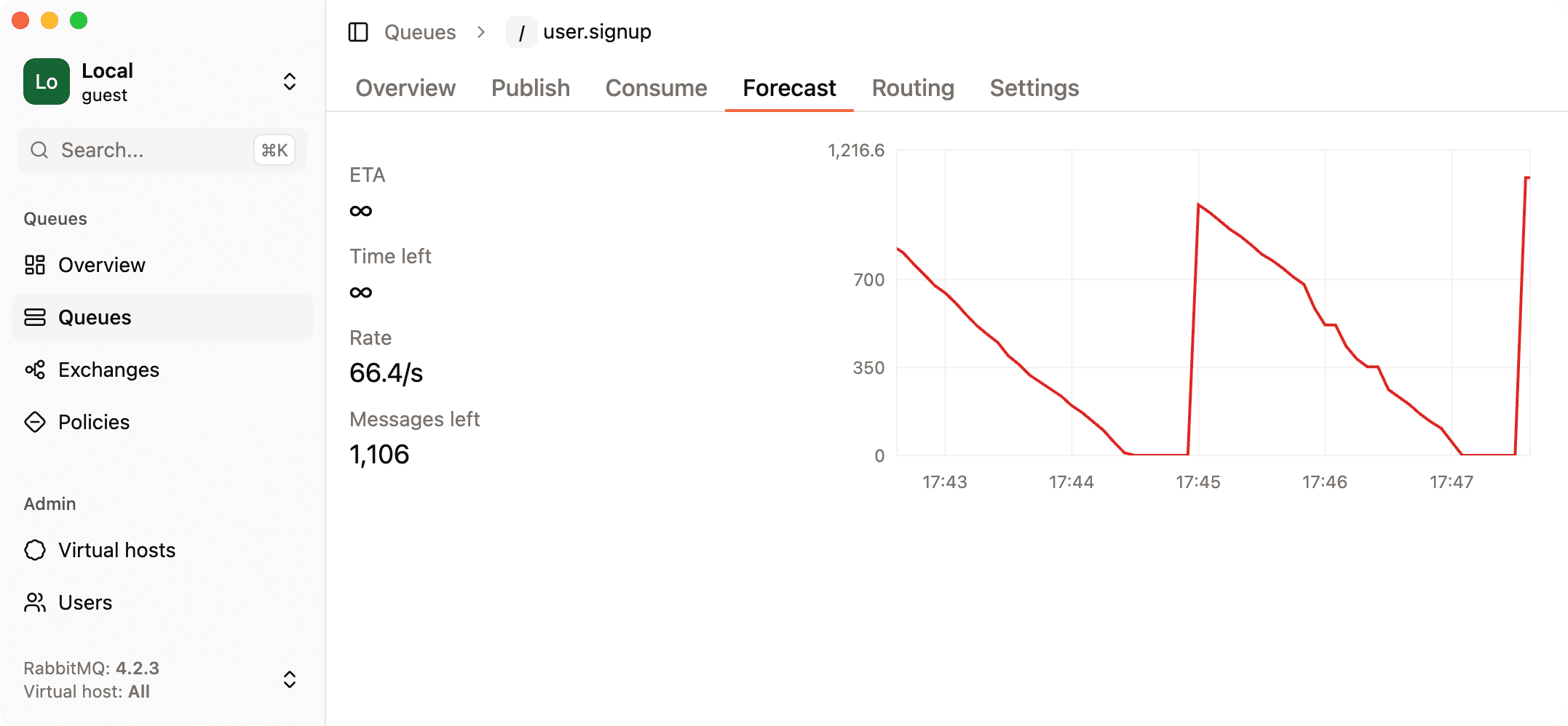
RabbitGUI implements exactly this. It tracks queue depth, runs linear regression with adaptive windowing, and displays the estimated drain time directly on the queue detail page.
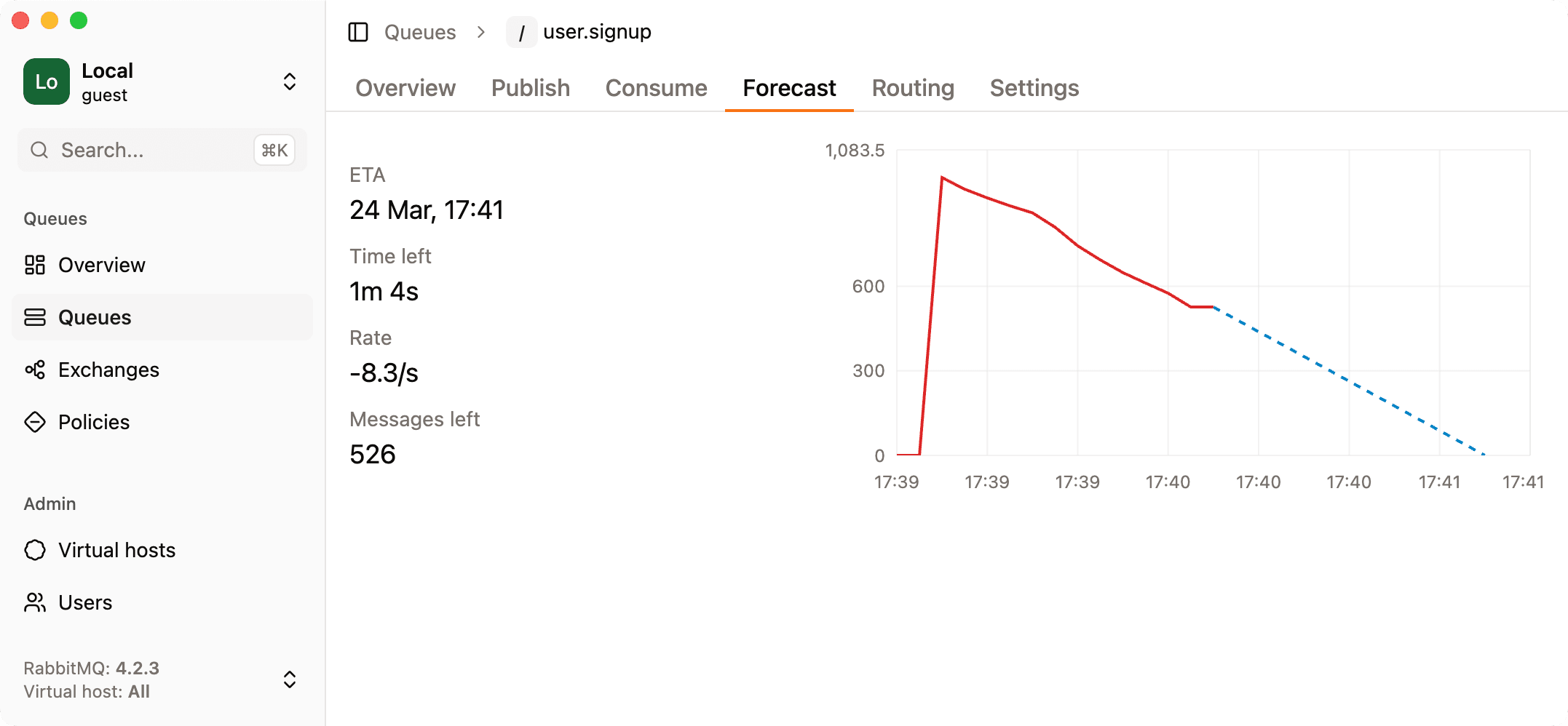
As an added bonus, you get an ETA, visual representation, and a countdown timer. When the queue is growing instead of draining, it shows that too.