Why RabbitMQ doesn't support delays natively
RabbitMQ is designed to deliver messages as fast as possible. There's no built-in "deliver this message in 30 seconds" feature. But delayed delivery is a common requirement for things like:
- Retry after a cooldown period
- Scheduled notifications
- Rate limiting and throttling
- Deferred task execution
There are two main approaches to implement delayed messages in RabbitMQ: the delayed message exchange plugin and the TTL + dead-letter queue pattern (the same building blocks used in many retry topologies, see also setting up dead-letter queues).
Approach 1: the delayed message exchange plugin
The rabbitmq_delayed_message_exchange plugin adds a new exchange type that holds messages and delivers them after a specified delay.
Installing the plugin
Download the plugin from the RabbitMQ community plugins page and enable it:
rabbitmq-plugins enable rabbitmq_delayed_message_exchangeIf you're using Docker, add it to your Dockerfile:
FROM rabbitmq:management
RUN apt-get update && apt-get install -y curl
RUN curl -L -o /plugins/rabbitmq_delayed_message_exchange.ez \
  https://github.com/rabbitmq/rabbitmq-delayed-message-exchange/releases/download/v4.0.2/rabbitmq_delayed_message_exchange-4.0.2.ez
RUN rabbitmq-plugins enable rabbitmq_delayed_message_exchange
Using the delayed exchange
Declare an exchange with type x-delayed-message and set the underlying routing type via the x-delayed-type argument:
import amqp from "amqplib";

const connection = await amqp.connect("amqp://localhost:5672");
const channel = await connection.createChannel();

await channel.assertExchange("delayed_exchange", "x-delayed-message", {
  arguments: { "x-delayed-type": "direct" },
});

await channel.assertQueue("delayed_queue");
await channel.bindQueue("delayed_queue", "delayed_exchange", "delayed");
When publishing, set the x-delay header to the number of milliseconds to wait before delivery:
channel.publish("delayed_exchange", "delayed", Buffer.from("delayed task"), {
  headers: { "x-delay": 10000 },
});
This message will be held by the exchange for 10 seconds before being routed to delayed_queue.
Consuming delayed messages
Consuming works exactly like any other queue. The delay is transparent to consumers:
channel.consume("delayed_queue", (msg) => {
  console.log("Received:", msg.content.toString());
  channel.ack(msg);
});
Limitations of the plugin
- Delayed messages are stored in an Mnesia table on a single node, not replicated across a cluster. If that node goes down, pending delayed messages are lost.
- Not suitable for very large volumes of delayed messages (millions).
- The maximum delay is 2^32 - 1 milliseconds (roughly 49 days).
Approach 2: TTL + dead-letter queue pattern
If you can't install plugins (e.g., on a managed RabbitMQ service), you can achieve delayed delivery using message TTL and dead-letter exchanges. The idea is simple: publish to a "parking" queue with a TTL, and when the message expires, it gets routed to the actual destination queue via a dead-letter exchange.
Setting it up
import amqp from "amqplib";

const connection = await amqp.connect("amqp://localhost:5672");
const channel = await connection.createChannel();

// The destination queue where consumers actually listen
await channel.assertExchange("main_exchange", "direct");
await channel.assertQueue("work_queue");
await channel.bindQueue("work_queue", "main_exchange", "work");

// The delay queue: no consumers, messages expire and get dead-lettered
await channel.assertQueue("delay_10s", {
  deadLetterExchange: "main_exchange",
  deadLetterRoutingKey: "work",
  messageTtl: 10000,
});
Publishing a delayed message
Send the message to the delay queue. After 10 seconds (the TTL), it expires and gets routed to work_queue:
channel.sendToQueue("delay_10s", Buffer.from("delayed task"));Consuming
The consumer listens on work_queue as usual:
channel.consume("work_queue", (msg) => {
  console.log("Received:", msg.content.toString());
  channel.ack(msg);
});
Per-message delays with this pattern
If you need different delay durations, you can set TTL per-message instead of per-queue. However, there's a catch: RabbitMQ only expires messages from the head of the queue. If the first message has a 60-second TTL and the second has a 5-second TTL, the second message won't be delivered until the first one expires.
To work around this, create multiple delay queues for different durations:
await channel.assertQueue("delay_5s", {
  deadLetterExchange: "main_exchange",
  deadLetterRoutingKey: "work",
  messageTtl: 5000,
});

await channel.assertQueue("delay_30s", {
  deadLetterExchange: "main_exchange",
  deadLetterRoutingKey: "work",
  messageTtl: 30000,
});

await channel.assertQueue("delay_60s", {
  deadLetterExchange: "main_exchange",
  deadLetterRoutingKey: "work",
  messageTtl: 60000,
});
Then publish to the appropriate queue depending on the delay you need. This is the same topology used for exponential backoff retries in RabbitMQ, where a failed message goes to a 5s, then 15s, then 60s delay queue before landing in a dead-letter queue.
Which approach should you use?
| Factor | Plugin | TTL + DLQ |
|---|---|---|
| Setup complexity | Requires plugin installation | Works out of the box |
| Flexible delays | Per-message via header | Requires separate queues per duration |
| Managed services | Often not available | Always available |
| Clustering | Not replicated | Supports quorum queues |
| Message volume | Limited by Mnesia storage | Scales with standard queues |
Use the plugin when you need flexible per-message delays and have control over your RabbitMQ installation. Use the TTL + DLQ pattern when you're on a managed service, need cluster-safe delays, or only need a fixed set of delay durations.
Inspecting delayed messages
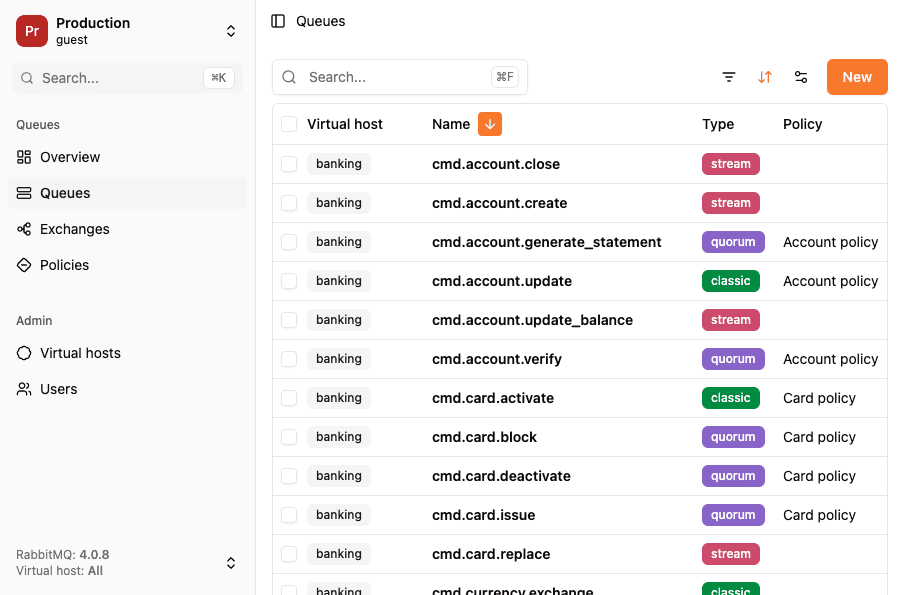
Debugging delayed messages can be tricky since they're either held in the exchange (plugin) or sitting in a TTL queue waiting to expire. RabbitGUI lets you inspect messages in your delay queues so you can verify payloads and TTL values before they reach their destination.
For running RabbitMQ in Docker and enabling built-in plugins, see Docker and Docker Compose, the delayed exchange itself usually needs copying the community .ez into the image as shown above.