Security and privacy
RabbitGUI runs entirely on your computer. It talks to your RabbitMQ instance the same way other local tools would: over the network from your machine to the broker. There is no intermediary hop through RabbitGUI’s infrastructure for your cluster traffic.
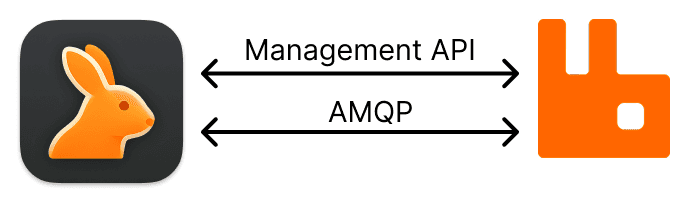
For most operations, RabbitGUI uses RabbitMQ’s management HTTP API. It reads cluster and object metadata, metrics, and configuration through that API, and invokes the appropriate mutation endpoints when you change settings or trigger administrative actions.
Some workflows need a live, low-level view of the broker. For those, RabbitGUI opens AMQP connections directly to RabbitMQ. For example when consuming messages or spying on queues, so behavior matches what your applications experience on the wire.
Because everything is local to you, RabbitGUI works whenever your machine can reach the RabbitMQ host and ports (management API, AMQP, and any TLS or auth you have configured). That includes setups where access is only available over a VPN, a bastion, or other network restrictions: if your laptop can connect, RabbitGUI can too.
Your RabbitMQ traffic does not pass through RabbitGUI’s servers. RabbitGUI’s backend has no visibility into your connections, credentials, messages, queue contents, or any other data flowing between your app and RabbitMQ. The only information we process on our side is what is needed for licensing (for example activation and entitlement checks), not your broker data or operational telemetry from your clusters.