Keep queues short
Long queues slow RabbitMQ down. When millions of messages pile up, the broker consumes more memory, paging kicks in, and throughput drops. The goal is for consumers to process messages roughly as fast as producers publish them.
If queues are growing consistently:
- Add more consumers to increase throughput
- Investigate slow consumers and optimize their processing logic
- Use prefetch count to balance load across workers
Use durable queues and persistent messages
By default, queues and messages do not survive a broker restart. In production, always declare queues as durable and publish messages with persistent delivery mode:
await channel.assertQueue("orders", { durable: true });

channel.sendToQueue("orders", Buffer.from("order data"), {
  persistent: true,
});
Durable queues are recreated on restart. Persistent messages are written to disk. Together, they protect you against data loss during crashes or restarts.
Use prefetch to control consumer load
Without a prefetch limit, RabbitMQ pushes messages to consumers as fast as it can. This can overwhelm slow consumers, cause uneven load distribution, and spike memory usage.
Set a prefetch count to limit how many unacknowledged messages a consumer holds at once:
await channel.prefetch(10);

channel.consume("orders", (msg) => {
  // process message
  channel.ack(msg);
});
A good starting point is a prefetch of 10–50 for most workloads. Tune it based on your processing time: shorter processing = higher prefetch, longer processing = lower prefetch.
Always acknowledge messages
Never use noAck: true in production unless you can afford to lose messages. With automatic acknowledgment, messages are removed from the queue the moment they're delivered, before your consumer finishes processing them. If the consumer crashes mid-processing, the message is gone.
Use manual acknowledgments instead:
channel.consume("orders", (msg) => {
  try {
    processOrder(msg);
    channel.ack(msg);
  } catch (err) {
    channel.nack(msg, false, true);
  }
});
This ensures messages are only removed from the queue after successful processing. See our dedicated article on RabbitMQ message acknowledgments for more detail. If you nack with requeue on errors, combine that with a retry pattern so poison messages do not loop forever.
Set up dead-letter queues
Messages will inevitably fail. Instead of losing them or letting them loop forever, route failed messages to a dead-letter queue where you can inspect, debug, and retry them later.
await channel.assertExchange("dlx", "direct");
await channel.assertQueue("orders.dlq");
await channel.bindQueue("orders.dlq", "dlx", "orders");

await channel.assertQueue("orders", {
  durable: true,
  deadLetterExchange: "dlx",
  deadLetterRoutingKey: "orders",
});
Every production queue should have a dead-letter strategy. It's the difference between losing failed messages silently and being able to investigate and recover from failures.
Use message TTL wisely
Message TTL (time-to-live) prevents stale messages from sitting in queues indefinitely. You can set TTL per-queue or per-message:
// Per-queue TTL: all messages expire after 60 seconds
await channel.assertQueue("events", {
  messageTtl: 60000,
});

// Per-message TTL
channel.sendToQueue("events", Buffer.from("data"), {
  expiration: "30000",
});
Expired messages are either discarded or routed to a dead-letter exchange if one is configured. TTL is especially useful for time-sensitive data like notifications or session tokens.
Use quorum queues for high availability
Classic mirrored queues have been deprecated since RabbitMQ 4.0. For high availability, use quorum queues, which replicate data across multiple nodes using the Raft consensus algorithm:
await channel.assertQueue("critical_orders", {
  durable: true,
  arguments: { "x-queue-type": "quorum" },
});
Quorum queues are designed for data safety and consistency. Use them for any queue where losing messages is unacceptable.
Reuse connections, use multiple channels
Opening a new TCP connection for every operation is expensive. Instead, open one connection per application and create multiple channels on it for concurrent work:
const connection = await amqp.connect("amqp://localhost:5672");

const publishChannel = await connection.createChannel();
const consumeChannel = await connection.createChannel();
Channels are lightweight and multiplexed over a single connection. However, avoid sharing a single channel across threads or concurrent operations, as channels are not thread-safe.
Name queues and exchanges explicitly
Avoid auto-generated queue names in production. Use clear, consistent naming conventions that reflect purpose:
orders.createdinstead ofamq.gen-xyzevents.dlxfor dead-letter exchangesnotifications.emailfor specific consumers
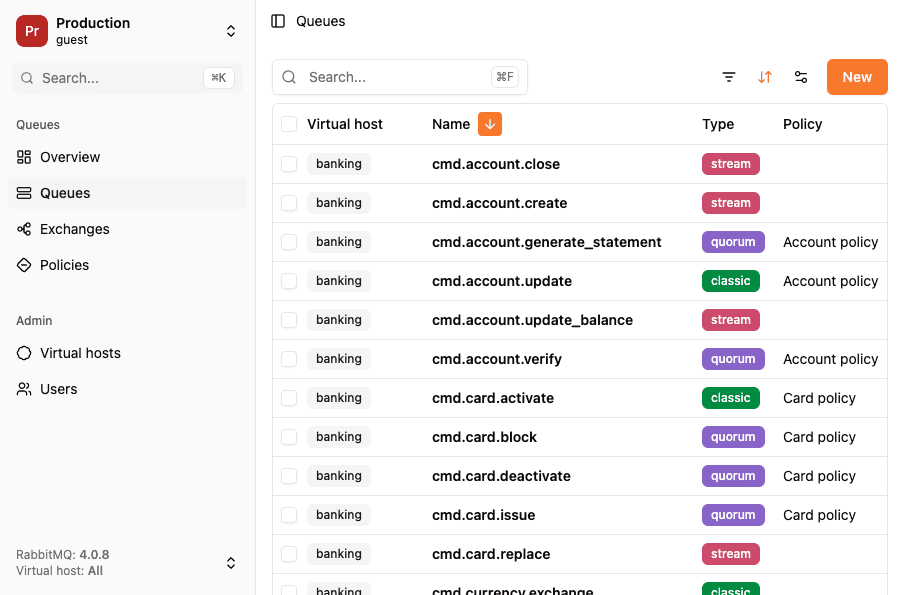
Good naming makes it easier to monitor, debug, and reason about your messaging topology. Tools like RabbitGUI make it even easier to navigate well-named resources.
Use lazy queues for large backlogs
If you expect queues to accumulate large numbers of messages (e.g., batch processing or periodic consumers), use lazy queues. Lazy queues store messages on disk instead of memory, reducing RAM pressure:
await channel.assertQueue("batch_imports", {
  durable: true,
  arguments: { "x-queue-mode": "lazy" },
});
The tradeoff is slightly higher latency for consumers, but the memory savings are significant for queues that routinely hold millions of messages.
Monitor everything
A healthy RabbitMQ deployment requires active monitoring. Track these key metrics:
- Queue depth: are queues growing faster than consumers can process?
- Consumer count: do your queues have enough consumers?
- Message rates: publish rate vs. delivery rate vs. acknowledgment rate
- Unacknowledged messages: are consumers holding too many messages without acking?
- Memory and disk usage: is the broker approaching resource limits?
The RabbitMQ monitoring API exposes these metrics. Pair it with a visual tool like RabbitGUI to get a real-time view of your broker's health.
Use exchanges for routing, not queues
A common anti-pattern is creating many queues and publishing directly to each one with sendToQueue. This tightly couples producers to consumers and makes the topology rigid.
Instead, publish to exchanges and let bindings handle routing. This gives you the flexibility to add, remove, or reroute consumers without changing producer code. Read more about exchange types and routing strategies.
Summary
| Practice | Why it matters |
|---|---|
| Keep queues short | Prevents memory pressure and throughput degradation |
| Durable queues + persistent messages | Protects against data loss on restart |
| Prefetch limits | Balances load and prevents consumer overload |
| Manual acknowledgments | Ensures messages survive consumer crashes |
| Dead-letter queues | Captures failed messages for inspection and retry |
| Message TTL | Prevents stale messages from accumulating |
| Quorum queues | High availability with Raft-based replication |
| Reuse connections | Avoids expensive TCP connection overhead |
| Explicit naming | Improves observability and debugging |
| Lazy queues | Reduces memory usage for large backlogs |
| Monitor metrics | Catches issues before they become outages |
| Route via exchanges | Decouples producers from consumers |